
FTP via TLS allows encrypted file transfer session to the server. If this is disabled or not in use, login information and files are transferred in clear text. This means that files and login information are human readable and can be read using network sniffing softwares.
ZOOM Hosting servers impose FTP via TLS connection to ensure that your sessions are secure and safe from malicious network sniffers and hackers.
Use the following settings on your FTP client to connect to the server via TLS.
1. Open Filezilla
2. Go to File > Site Manager
3. Enter the following details
***********************************************************************
Host: (server name or domain)
Port: 21
Protocol: FTP
Encryption: Require explicit FTP over TLS
Logon type: Normal
***********************************************************************
4. Then use your cpanel credentials or your created FTP account inside cpanel.
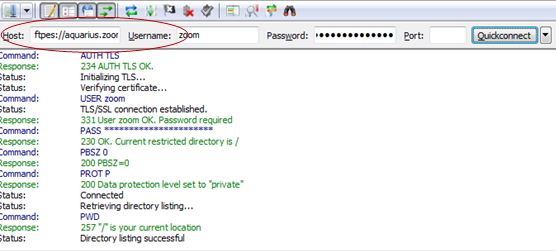
Using Secured FTP via TLS (quick connect)
*Note: You might want to check this also in filezilla to prevent request timouts:
Edit > Preferences > Timeout in seconds (increase it or make it 0 to disable)



